

Why Payments
Paid on the repair order, not in a second system.
Paying from the phone
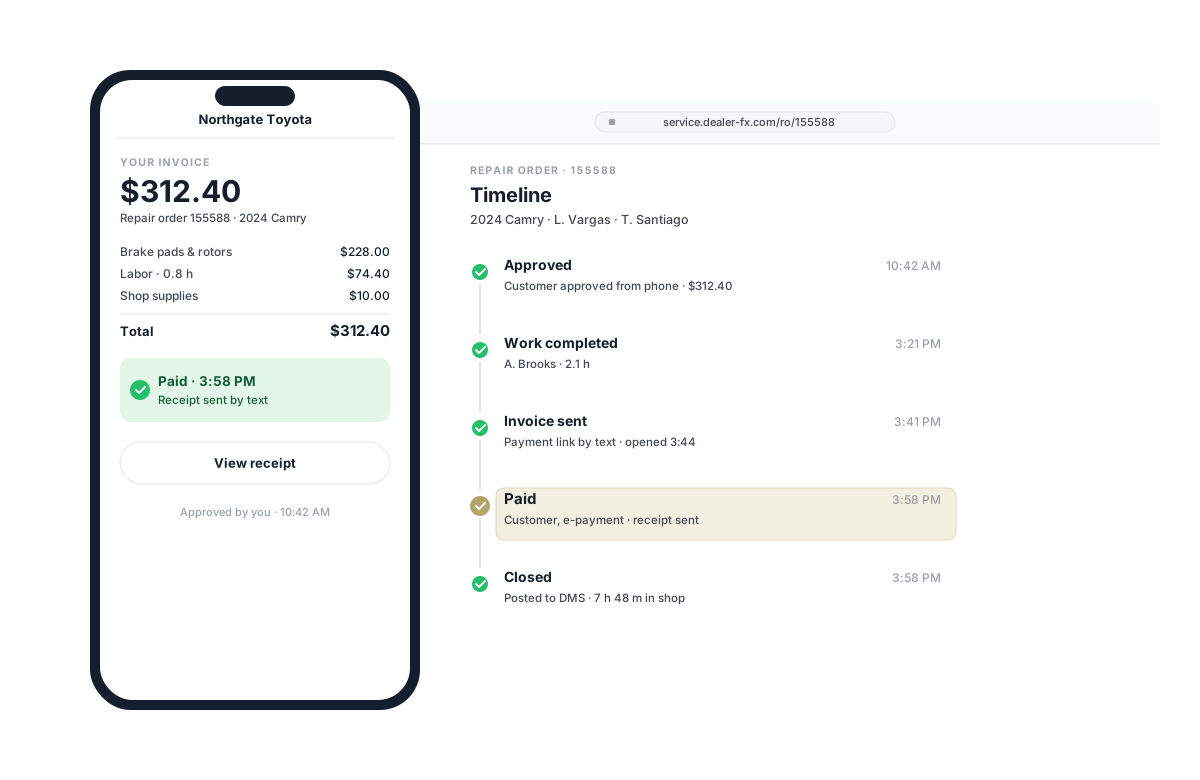
When the vehicle is ready, the customer gets the invoice they approved and pays it from their phone. The receipt lands on the repair order before they reach the car.
- Online payments on the repair order
- Payment link sent by text or email when the vehicle is ready
- Receipt sent to the customer and logged to the repair order
Paying at the desk
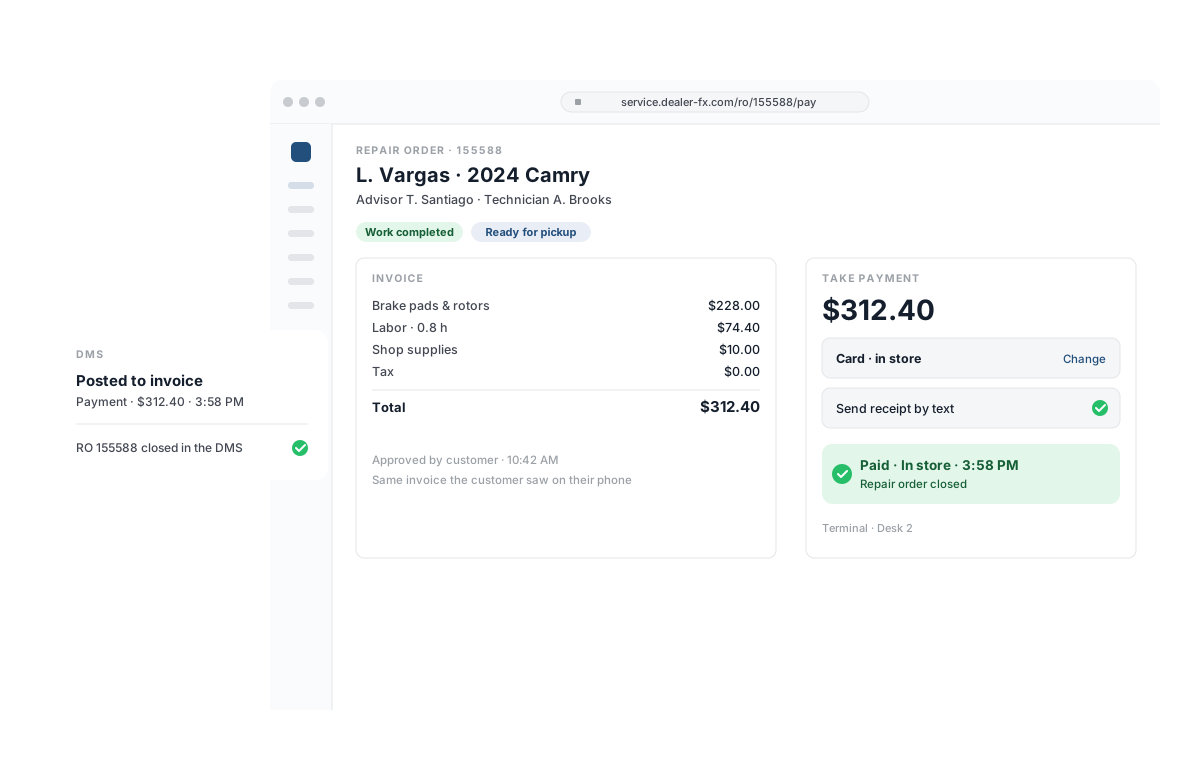
For customers who pay in person, the advisor takes payment at the desk — no separate cashier line, no second system. The repair order closes the same way either way.
- In-store payments at the advisor’s desk
- Same invoice and same repair order as an online payment
- Payment posted to your DMS invoice†
Financing the repair
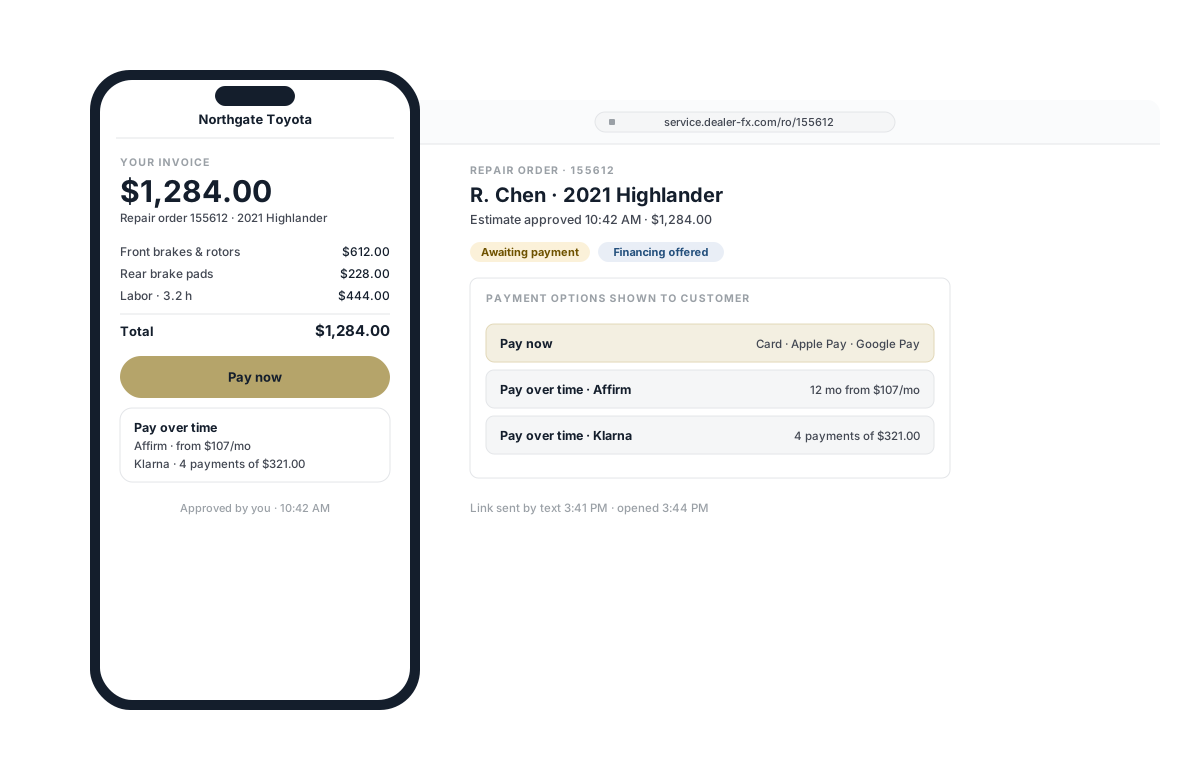
When the estimate is bigger than planned, financing is on the same screen as the invoice. The customer can choose to pay over time without leaving the invoice they approved.
- Service financing through Klarna and Affirm
- Offered on the same invoice as card payment
- Itemized invoice matched to the approved estimate
Closing the day
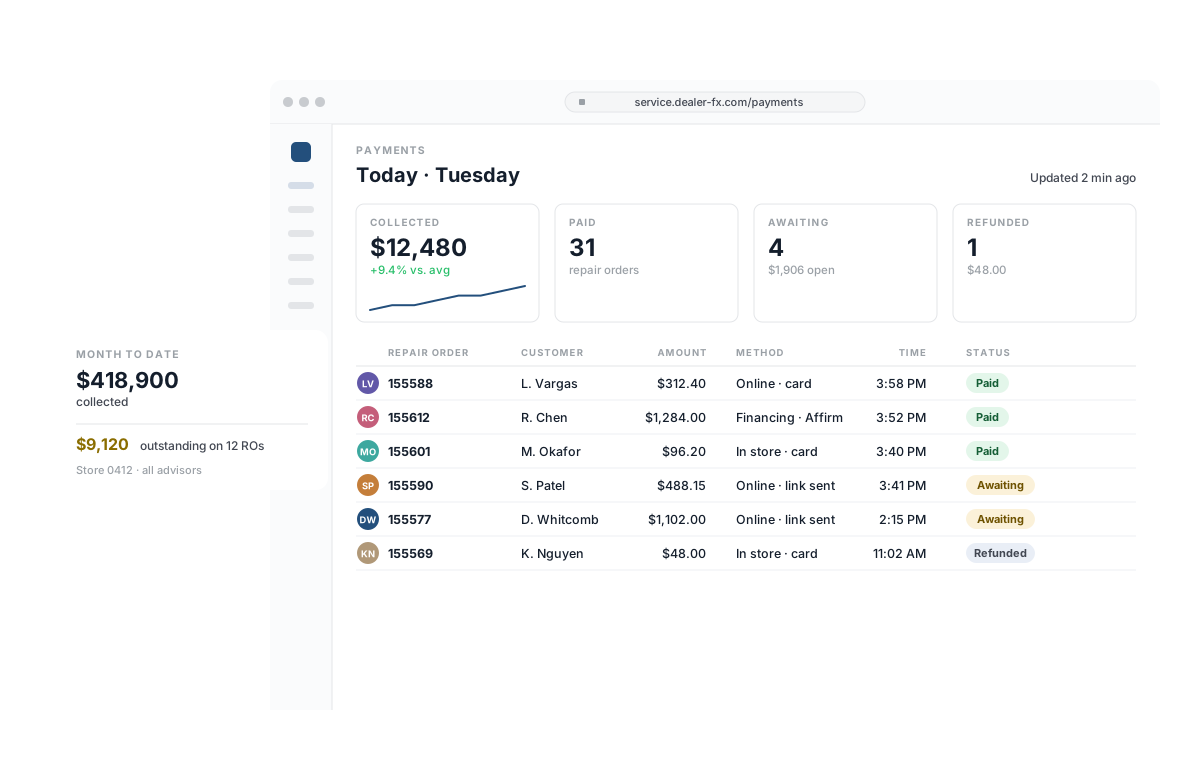
Know what was collected, when and by whom. The payments dashboard shows what’s open, paid and refunded today; reporting rolls it up by store and advisor.
- Dedicated payments dashboard — open, paid and refunded
- Payments reporting by store and advisor
- Collected against outstanding on open repair orders
†Subject to DMS availability.